

Ask in one sentence. Figen OS prepares the document, with your client’s data.
Figen OS is Figen AI’s workspace for wealth management advisers. You write your request as you would to a colleague. The assistant opens the client record, reads the client’s assets, contracts and documents, then prepares the suitability statement or the engagement letter. You complete it and send it for signature.
14-day free trial, with your own clients. See how

Try it
Launch Figen OS and make a request
This is Figen OS as a replayed demo. The four requests were made in the application, in French, on the fictitious file of Paul Fontaine, and the answers are the assistant’s own, translated. Pick a request, then send it.
What can I do for you?
Attached documents 8 / 20
- Paul Fontaine career statement.pdf
- Payslips 2026.pdf
- Individual PER statement.pdf
- Tax notice 2026.pdf
- Fontaine SAS articles.pdf
- Himalia contract.pdf
- Agirc-Arrco statement.pdf
- Securities account statement.pdf
Up to 20 documents per conversation. Here, nothing is sent.
Requests to replay
This demo replays four filmed requests. During your trial, Figen OS answers yours, on your firm’s data.
Replayed demo: what you type here never leaves the page.
-
You: Generate a suitability statement for Paul Fontaine with the Himalia contract
- Thinking
- Searching clients
- Loading client Paul Fontaine
- Suitability statement assistant
I opened the Suitability statement assistant for Paul Fontaine, in life insurance, with the Himalia contract.
Already filled in
Item Value Subscriber Paul Fontaine Product Life insurance Contract Himalia Amount Not provided, to enter in the assistant Allocation None chosen What is left to do
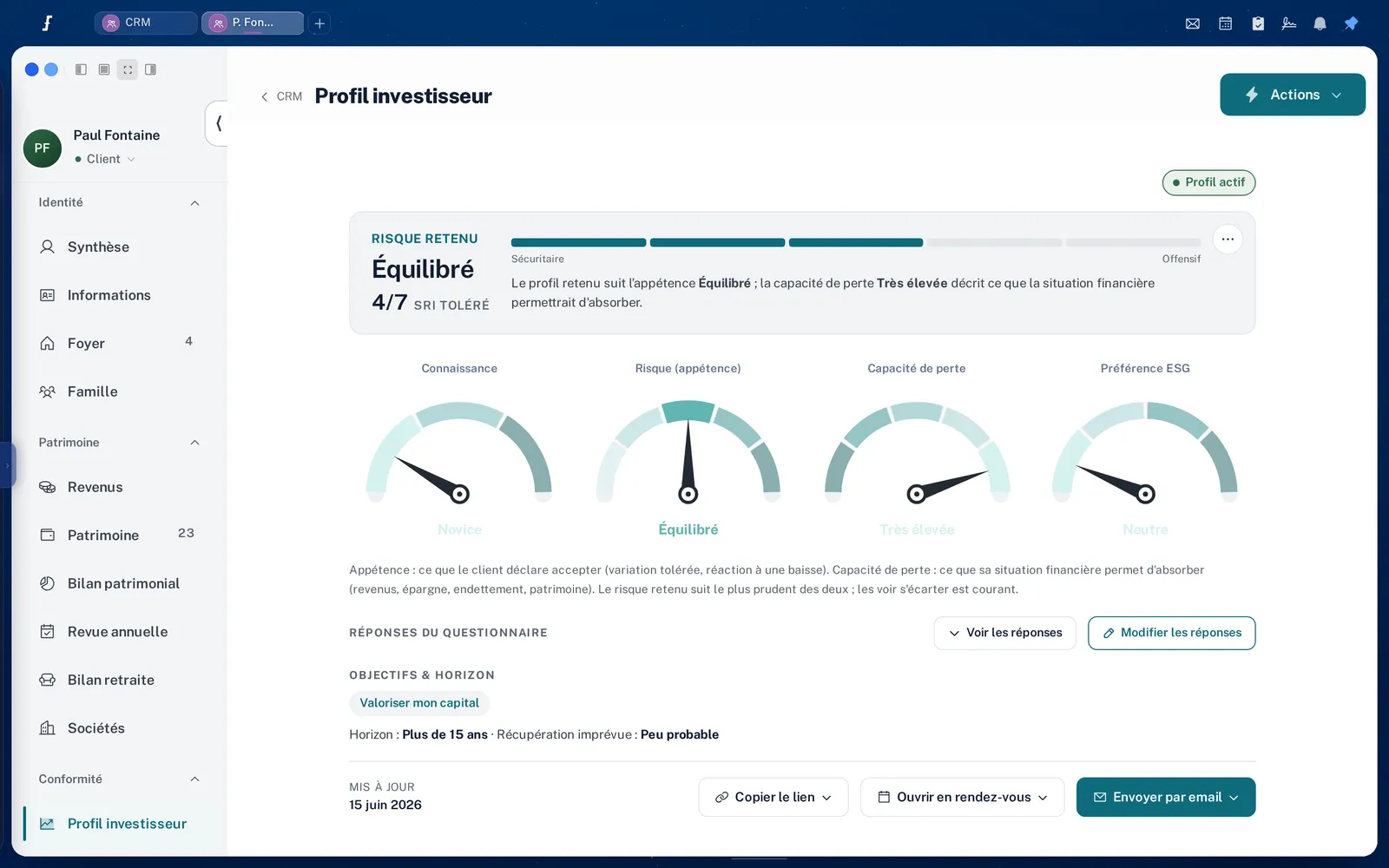
- Check the investor profile. The record shows a dynamic profile, an experienced investor, a long horizon (more than 8 years) and few liquidity needs.
- Enter the amount and the allocation.
- Generate the document, then have it signed.
-
You: Run Paul Fontaine’s retirement review
- Thinking
- Searching clients
- Loading client Paul Fontaine
I found Paul Fontaine’s record (born 12/03/1974, business owner, married, 2 children). Choose how to run his retirement review:
- See the reviews already saved in his record.
- Prepare a new review in the calculator, prefilled with the data in his record (identity, date of birth, spouse).
- Run the calculation with the facts in his record. Missing items (career, statement of entitlements, target departure date) will be asked for in a single form.
Paul plans to sell his company within 5 years. The fixed allowance for business owners who retire should be studied along with the departure date.
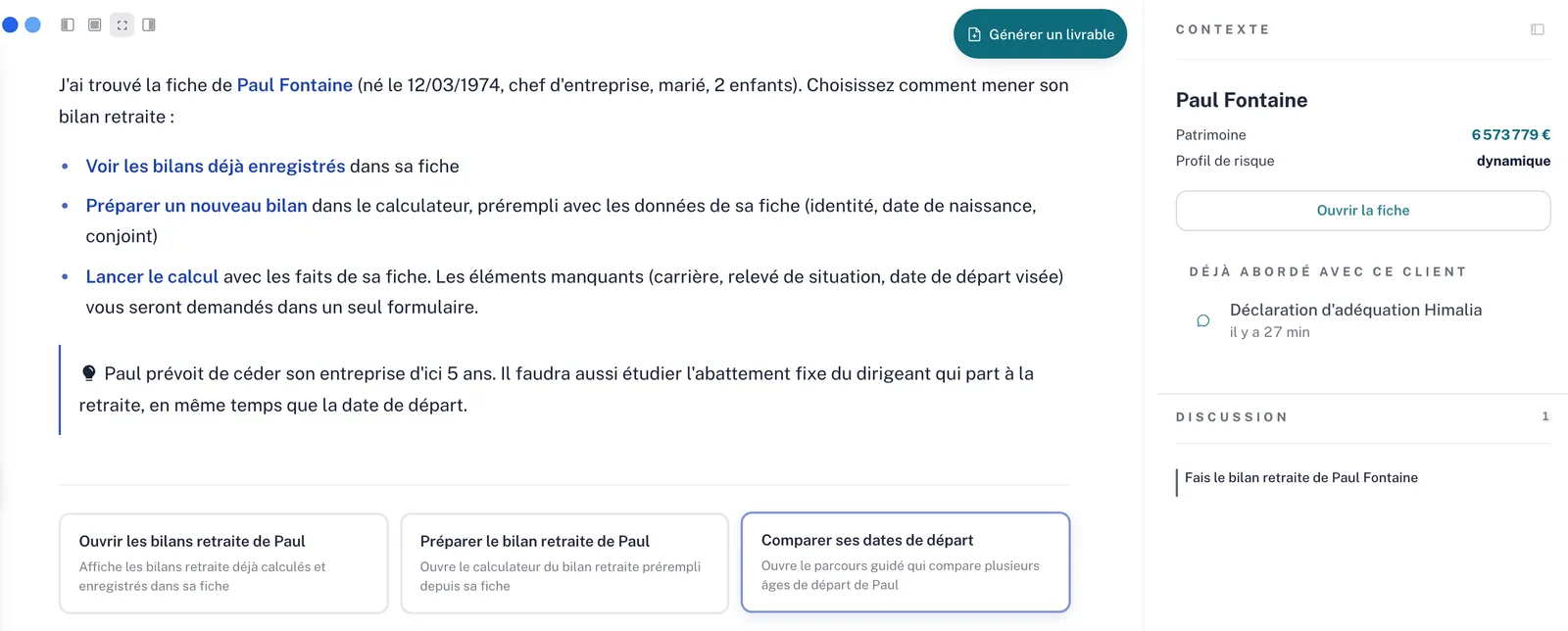
The original screen, in Figen OS: Paul Fontaine’s record on the right -
You: Build an Excel file for a PER campaign listing the clients and the reasons why it would be more or less relevant for each. The Figen scoring must be in a separate tab.
- Thinking
- Searching clients
- Reporting & Deliverables expert
I am preparing the Excel file for the PER campaign: 38 records, with a tab of arguments per client and a separate scoring tab.
PER campaign, client targeting.xlsxTabs: Clients & PER arguments, Figen scoring
Extract from the Figen scoring tab
Client Score /100 Priority Paul Fontaine 86 Priority Sophie Nguyen 84 Priority Nicolas Guérin 76 Priority David Nkomo 74 Secondary Catherine Bertrand 58 To qualify Paul Fontaine, in the arguments tab
For High income, business owner, long horizon, low liquidity needs, experienced dynamic profile Against Selling the company within 5 years comes first (150-0 B ter, Dutreil) Approach Build the PER into the owner’s exit and pay strategy -
You: Show Paul Fontaine’s wealth breakdown as a chart and calculate his IFI
- Thinking
- Loading client Paul Fontaine
- Tax expert
Breakdown displayed. I am having the household’s 2026 IFI calculated from the real estate and debts recorded in the CRM.
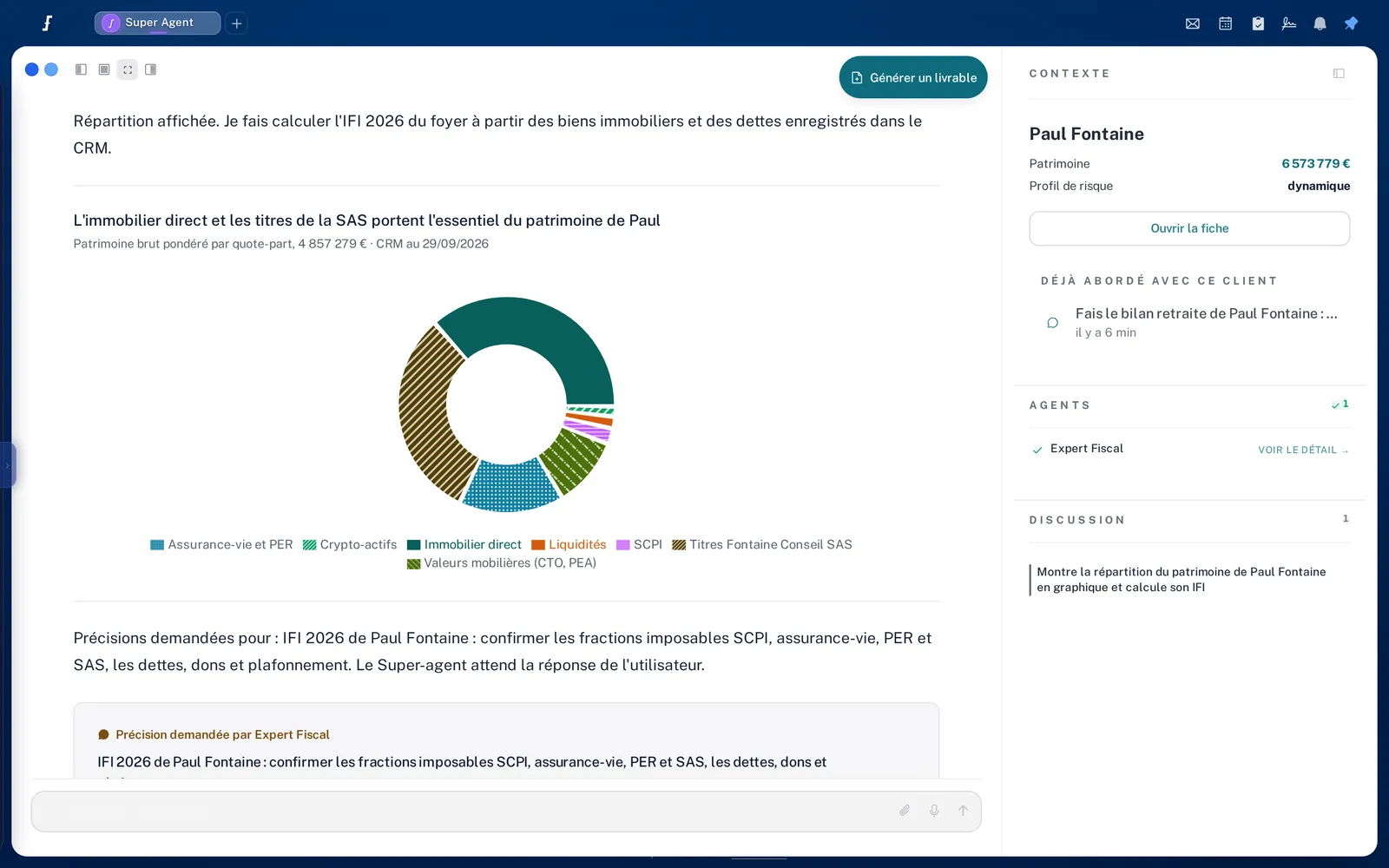
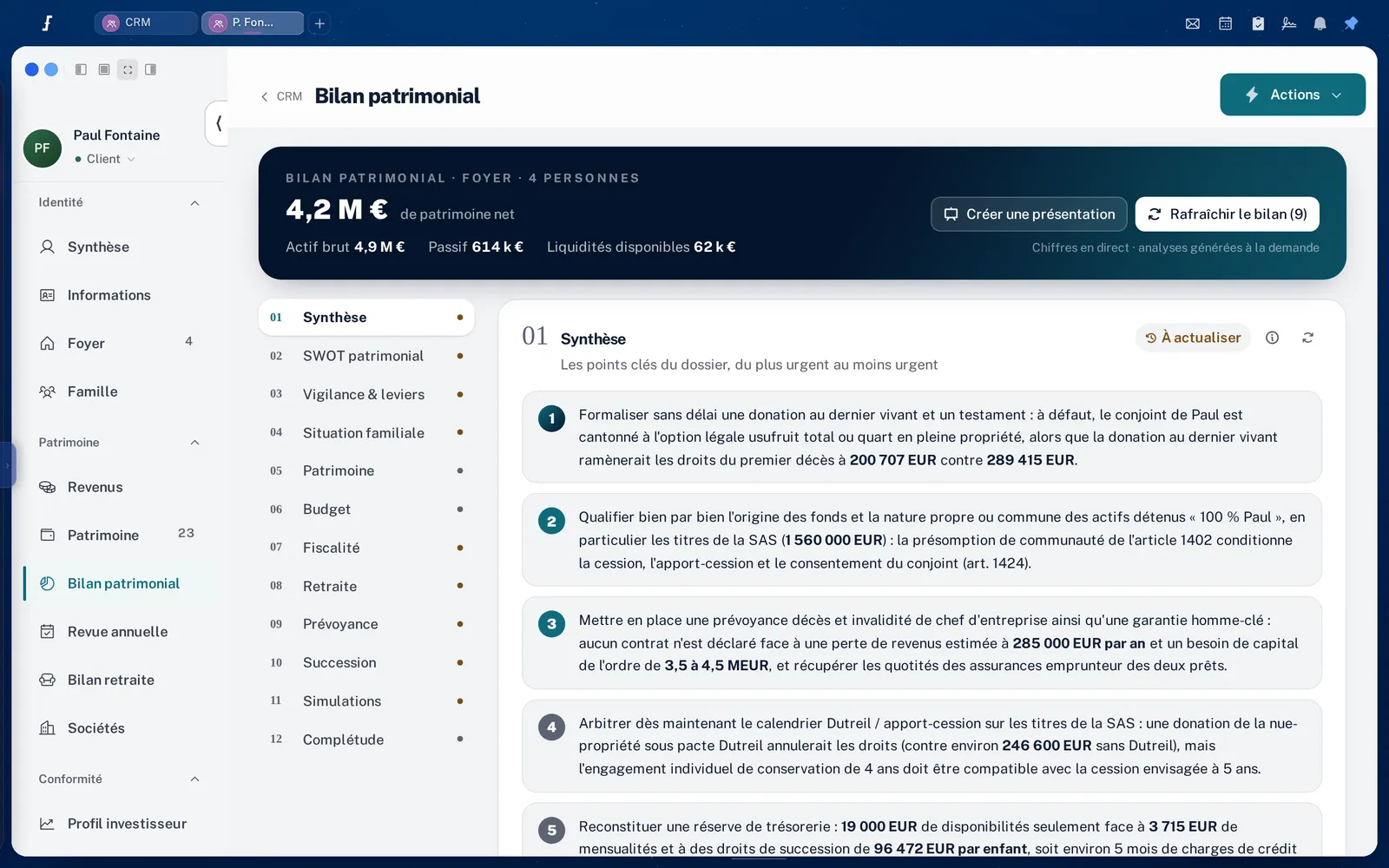
Direct real estate and the SAS shares make up most of Paul’s wealth The tax expert asks for details before calculating the 2026 IFI: taxable fractions of SCPI, life insurance, PER and SAS, debts, gifts and the cap.
Compliance
One sentence is enough to start a suitability statement
You type “Génère une déclaration d’adéquation pour Paul Fontaine avec le contrat Himalia” (generate a suitability statement for Paul Fontaine with the Himalia contract). The assistant finds the client and opens the statement, already filled in: subscriber, life insurance, Himalia contract, MiFID II profile alongside. It tells you what is left to do: the amount, the allocation, the profile check. You complete it, the document is generated and goes out for signature from Figen OS.

The request, then the statement
Real sequence, filmed in Figen OS on Paul Fontaine’s demo file, then sped up.
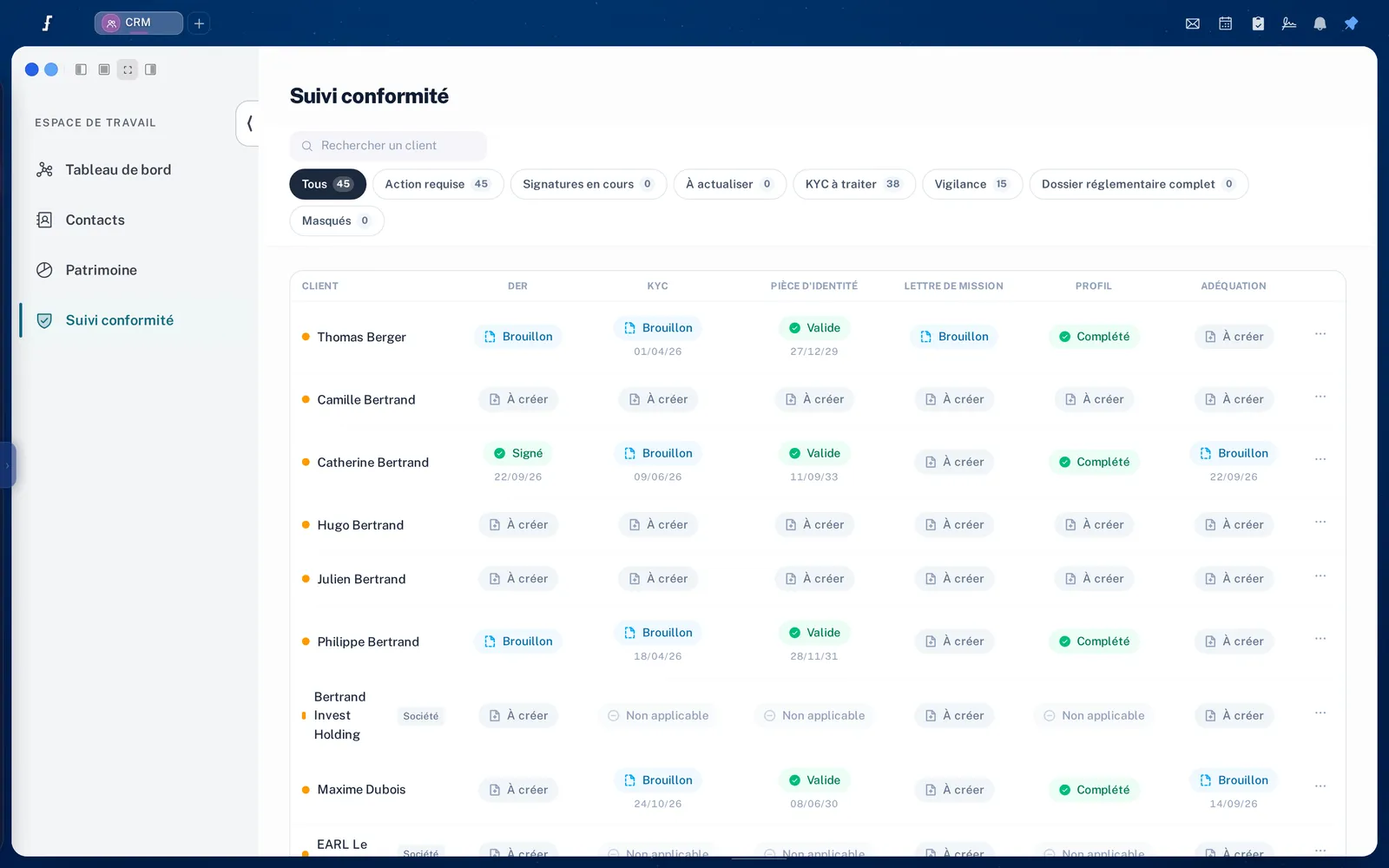
Compliance tracking
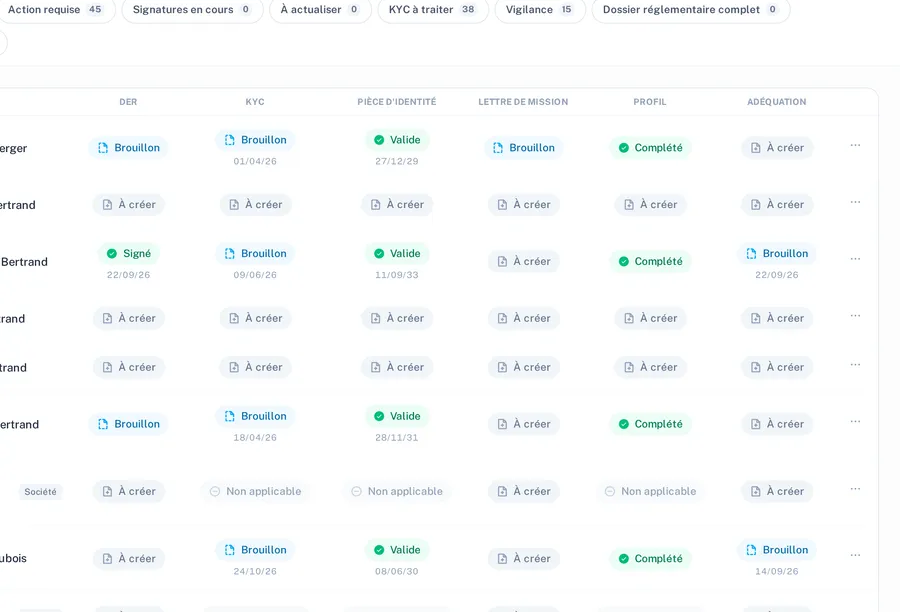
A table shows, client by client, which documents are in order and which are still to be produced.

The Actions menu of the client record
From a client record, the Actions menu starts the regulatory documents.
The compliance tracking table
CloseThe table brings together, client by client, the status of the regulatory documents: what is signed, what is waiting for signature, what is still to be produced.
The Actions menu of the client record
CloseDocuments are generated from the record, with the information already entered: client agreement (DER), engagement letter, order transmission agreement, mandate and KYC.
The suitability statement, the procedures kit and the annual review are in the same place.
E-signature is built in: envelopes, signing order, tracking by client, then archiving.
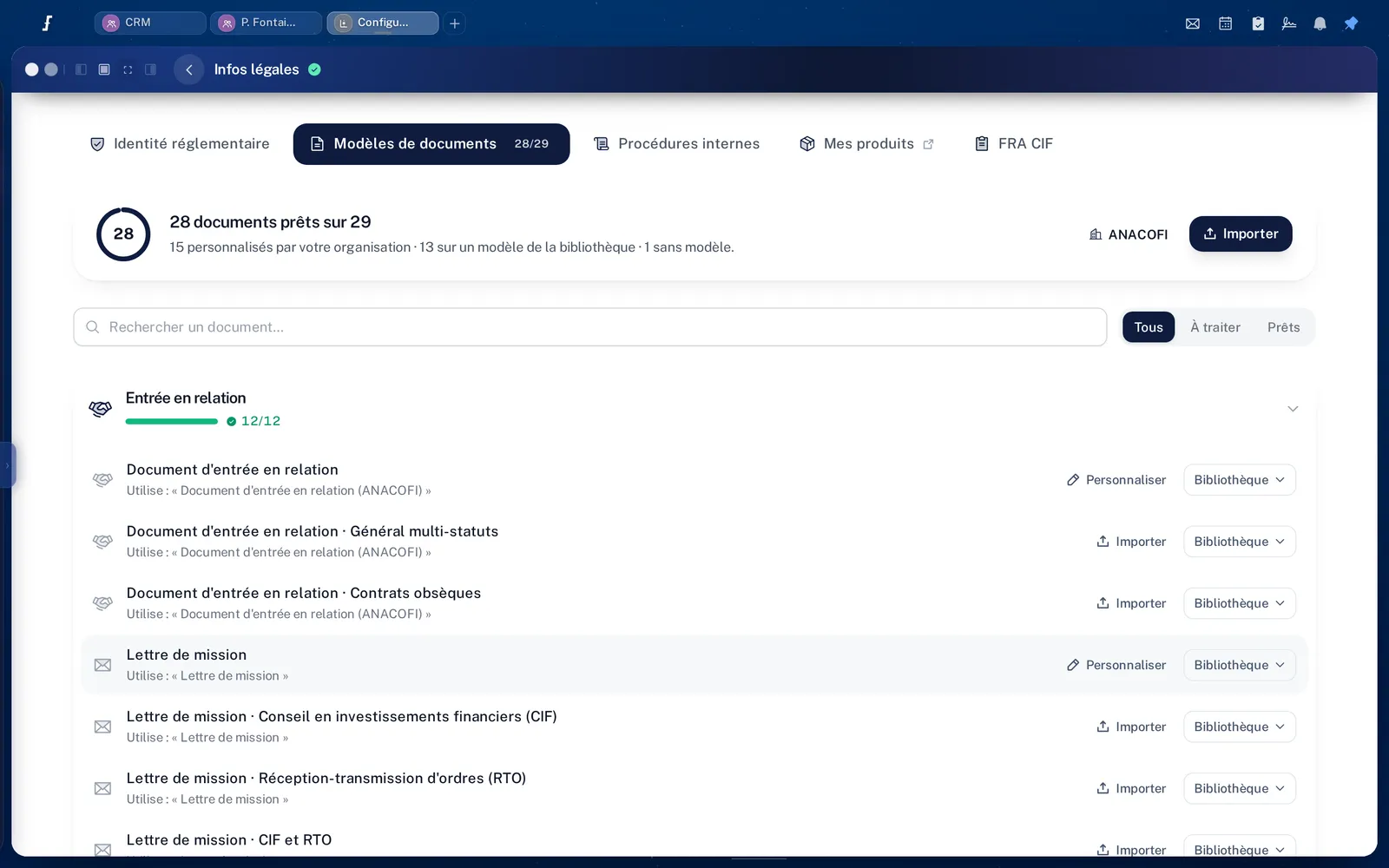
The regulatory documents, one by one
CloseThe compliance documents were designed with compliance officers and legal experts.
- MiFID II and IDD suitability statement, in five steps, ready to sign, with an audit trail.
- MiFID II investor profile: questionnaire, transparent and versioned scoring, a time-stamped profile for each person, recorded exceptions.
- Client agreement, engagement letter and wealth questionnaire, for individuals and legal entities alike.
- KYC: collection and verification of documents, with AML checks.
- Life insurance: the complete journey.
The assistant
A question about a client, an answer with figures
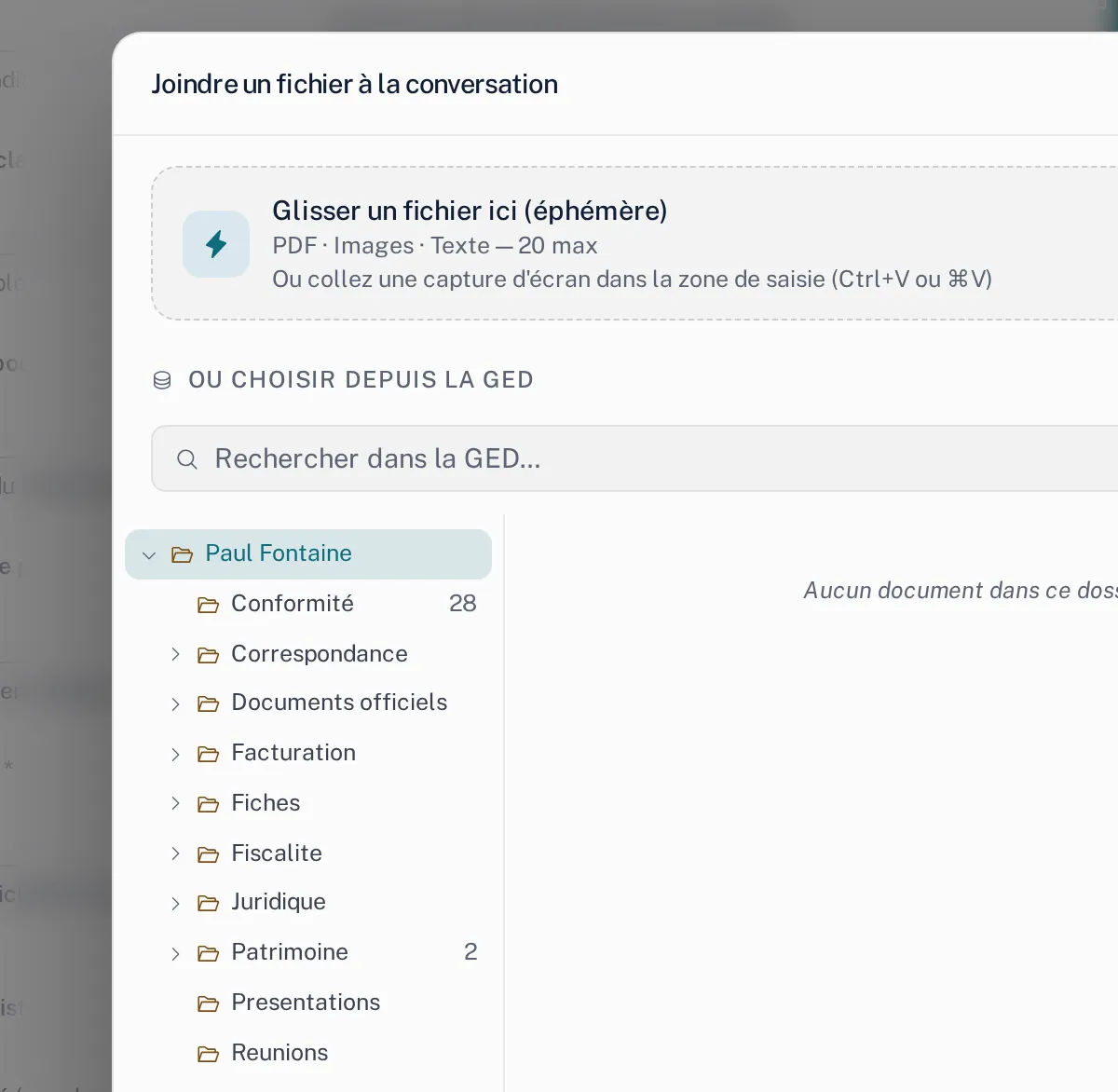
You link Paul Fontaine to the conversation and ask your question. His record loads on the right. The assistant answers from his data, charts how his wealth is split and brings in the tax expert, who asks you to confirm the relevant points before calculating the wealth tax on real estate (IFI).
Up to 20 documents per conversation, PDF, images or text: drag them into the window, or pick them from the client’s document library.
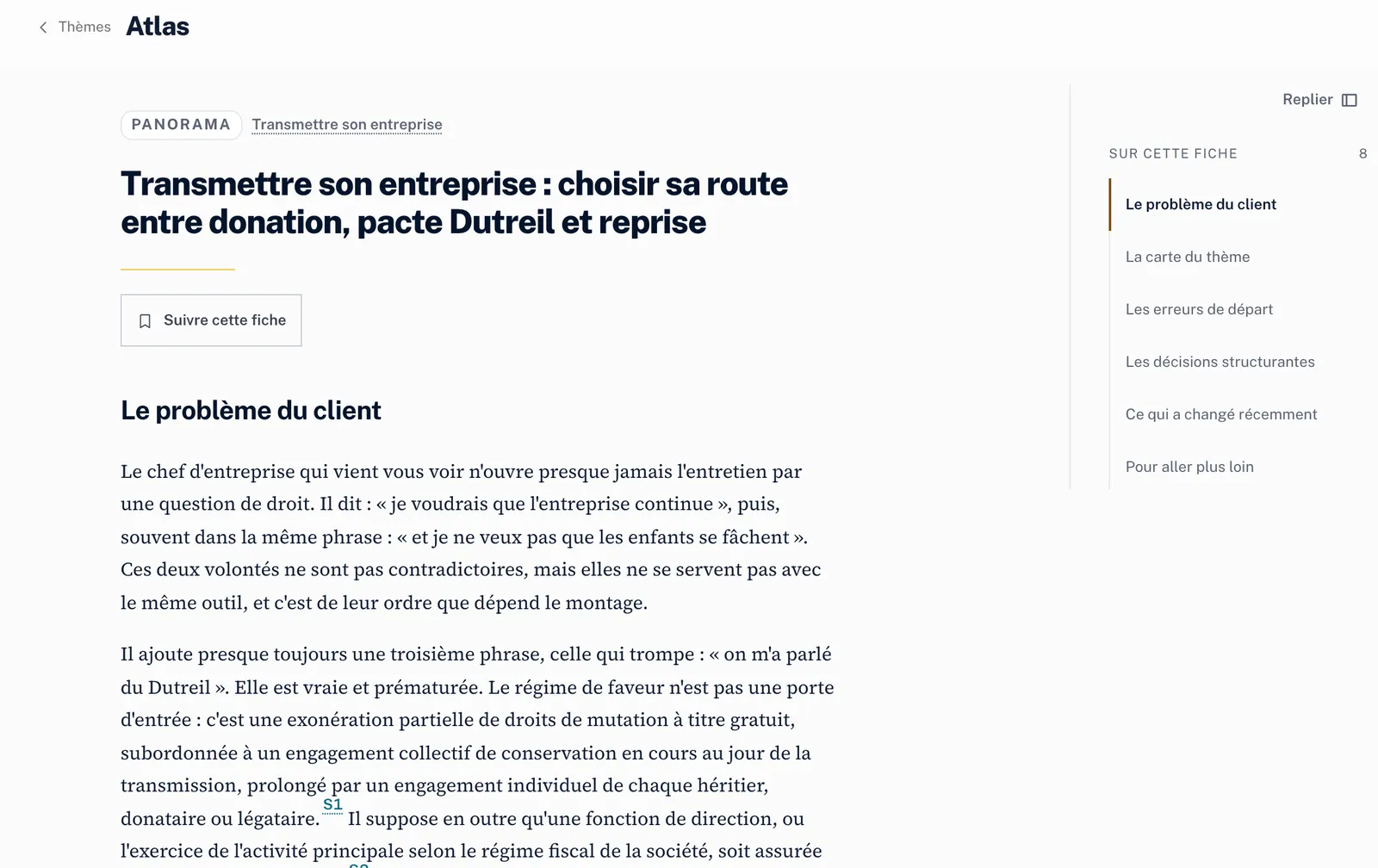
Atlas, the wealth encyclopaedia
Sourced and dated entries, by theme. Here: passing on a business, between gift, Dutreil pact and sale.
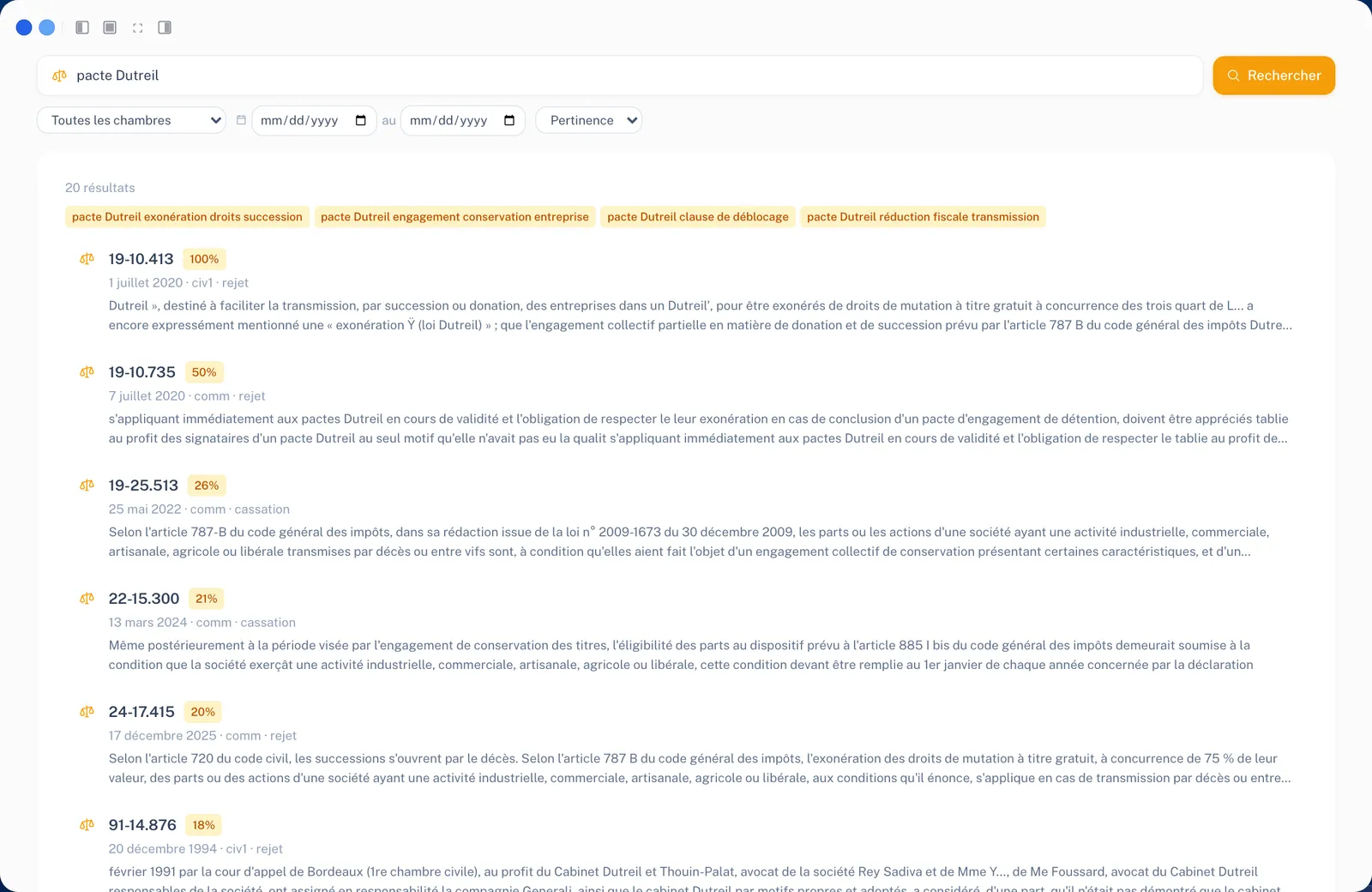
Case law
A search through court decisions, filtered by chamber and date. Here: the Dutreil pact.
How the assistant works on your data
CloseFrom the conversation, the assistant opens a client record, updates a field, runs a calculation, prepares an email, a report or a presentation, and offers one-click actions.
Its answers draw on a wealth management knowledge base, on official sources and on the firm’s documents: a contract, a statement or a filed deed becomes a source.
It never makes up a figure. Calculations go through Figen OS’s deterministic, sourced calculators, and every step stays visible.
Each tool opens in its own window, side by side, and the assistant can act in each of them.
It also runs a retirement report: retirement age, estimated pension, gap with the target standard of living. If career details are missing, quarters or supplementary pension points, it asks you for them before calculating.
You can attach up to 20 documents to a conversation, by drag and drop, or pick them from the client’s document library.
Aggregation
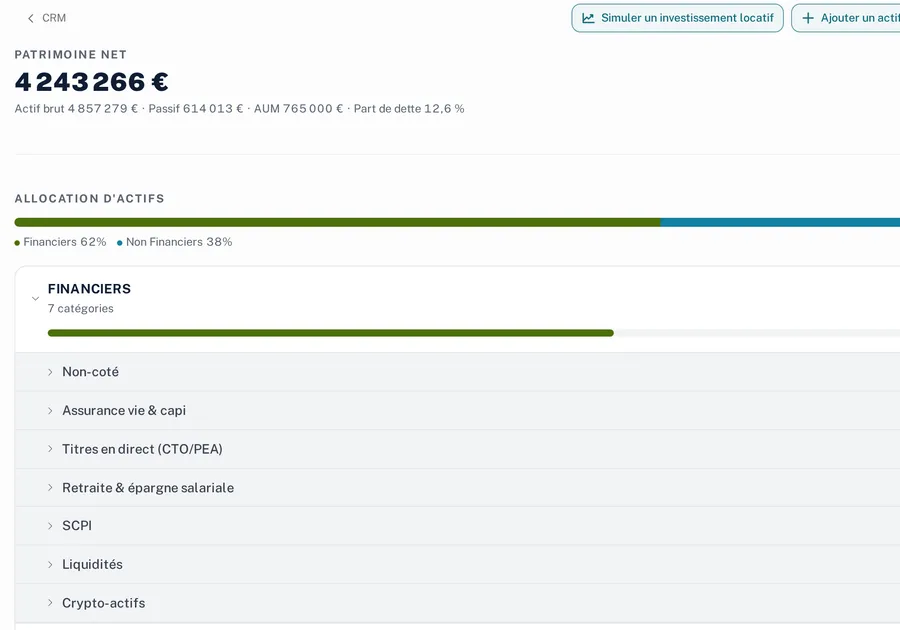
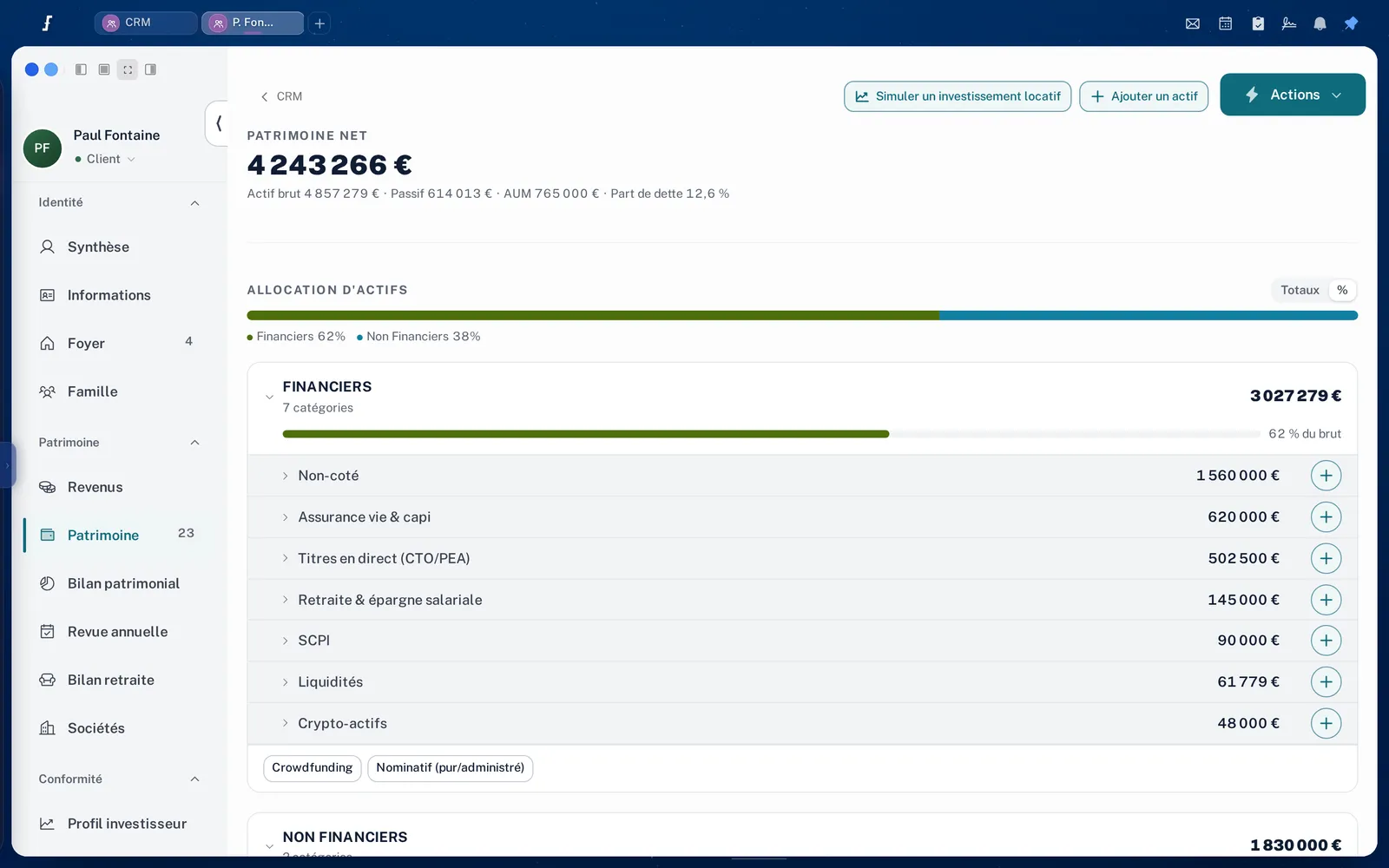
The household’s wealth, consolidated in one view
The accounts, contracts and investments of the household members land on the record, with each member’s share. Full ownership, usufruct and bare ownership are valued, and the history shows contract performance as IRR and TWR.
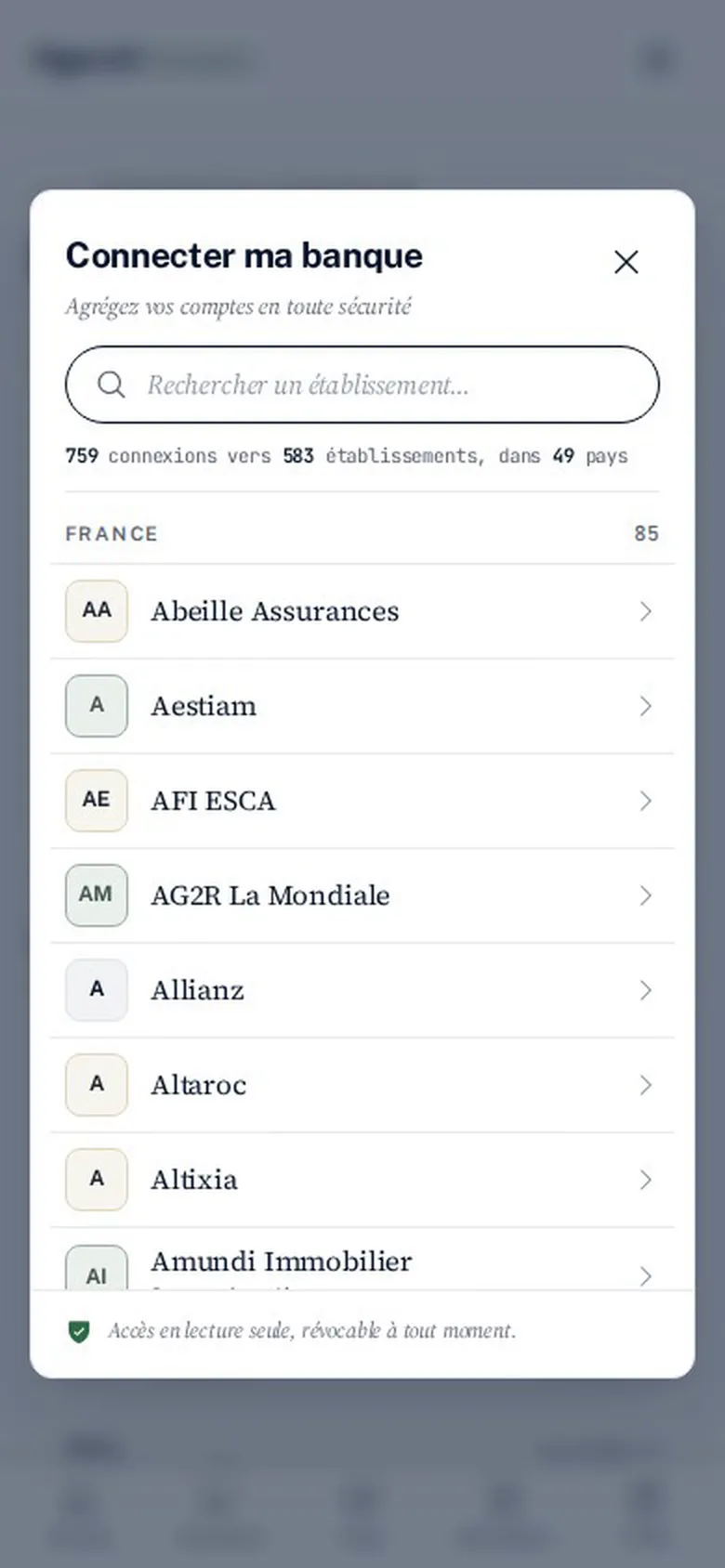
Flanks, Figen AI’s global aggregation partner, provides 759 active connections to 583 institutions, in 49 countries and on 39 international platforms. In France: 85 institutions and 117 connections.
Flanks coverage as of 27 September 2026. Aggregation is an option of Figen OS.
Among the institutions you can connect
France
- Abeille Assurances
- Aestiam
- AFI ESCA
- AG2R La Mondiale
- Allianz
- Altaroc
- Altixia
- Amundi Immobilier
- Apicil
- Archinvest
- Ardian
- Arkéa
- Atland Voisin
- AXA
- Banque Transatlantique
- BNP Paribas
- BNP Paribas Cardif
- BNP Paribas Épargne & Retraite
- BoursoBank
- BRED Banque Populaire
- Bricks
- CACEIS
- Caisse d’Épargne
- CIC
- CNP Assurances
- Corum
- Crédit Agricole
- Crédit du Nord
- Crédit Mutuel Nord Europe
- DLPK
- Edmond de Rothschild
- Epsens
- Eres
- France Valley
- Generali
- Goldman Sachs
- Gresham
- Groupama Gan Vie
- HSBC
- Indosuez Wealth Management
- Inter Gestion
- Iroko
- J.P. Morgan
- Julius Baer
- La Française
- La Mondiale EuroPartners
- Lazard Frères Gestion
- LCL
- Lombard Odier
- M Capital
- Marex
- Milléis
- Mintos
- Mirabaud
- MMA
- Narthex
- Natixis Interépargne
- Natixis Wealth Management
- Neuflize OBC
- Neuflize Vie
- Norma Capital
- Nortia
- Novaxia
- Oddo BHF
- Odyssée Venture
- Opale Capital
- Perial
- Pictet
- Prepar Vie
- Primonial
- Private Corner
- Remake
- Rothschild Martin Maurel
- Sanso Longchamp
- Société Générale
- Sogenial
- Spiko
- Suravenir
- Swiss Life
- Theoreim
- Trail Capital
- UAF Life
- UBP
- UBS
- Vitis Life
Luxembourg
- Allianz Life Luxembourg
- Baloise Vie Luxembourg
- Banque de Luxembourg
- Banque Internationale à Luxembourg
- Cardif Lux Vie
- CNP Luxembourg
- Degroof Petercam
- Lombard International Assurance
- Quintet Private Bank
- Sogelife
- The One Life Company
- Utmost
- Wealins
Switzerland
- Cité Gestion
- EFG
- J. Safra Sarasin
- Julius Baer
- LGT
- Lombard Odier
- Partners Group
- Pictet
- Swissquote
- UBP
- UBS
- Vontobel
And in 46 other countries
- Spain 202
- United Kingdom 72
- United States 28
- Germany 23
- Italy 23
- Belgium 19
- Monaco 16
- Netherlands 14
- Brazil 10
- Portugal 10
- Sweden 10
- Mexico 8
- United Arab Emirates 7
- Andorra 6
- Austria 6
- Denmark 5
- Ireland 5
- Saudi Arabia 4
- Finland 3
- Liechtenstein 3
- Norway 3
- Panama 3
- Singapore 3
- Australia 2
- Croatia 2
- Cyprus 2
- Latvia 2
- Bahamas 1
- Bulgaria 1
- Chile 1
- Czechia 1
- Estonia 1
- Greece 1
- Hong Kong 1
- Hungary 1
- Iceland 1
- Japan 1
- Kuwait 1
- Lithuania 1
- Malta 1
- Mauritius 1
- Poland 1
- Qatar 1
- Romania 1
- Slovakia 1
- Slovenia 1
The household’s consolidated view
CloseA household brings together the spouse, the children and any members you add. Companies, property companies or holdings, are linked to their owners.
Each asset is held in shares between household members and companies, and a split moves from 50/50 to 60/40 in one gesture. Full ownership, usufruct and bare ownership are valued.
The history traces how the wealth has changed and how contracts have performed, as IRR and TWR.
Flanks aggregates and checks the data; Figen OS places it on the record, where the assistant works on it.
The aggregation offer in detail
Allocations
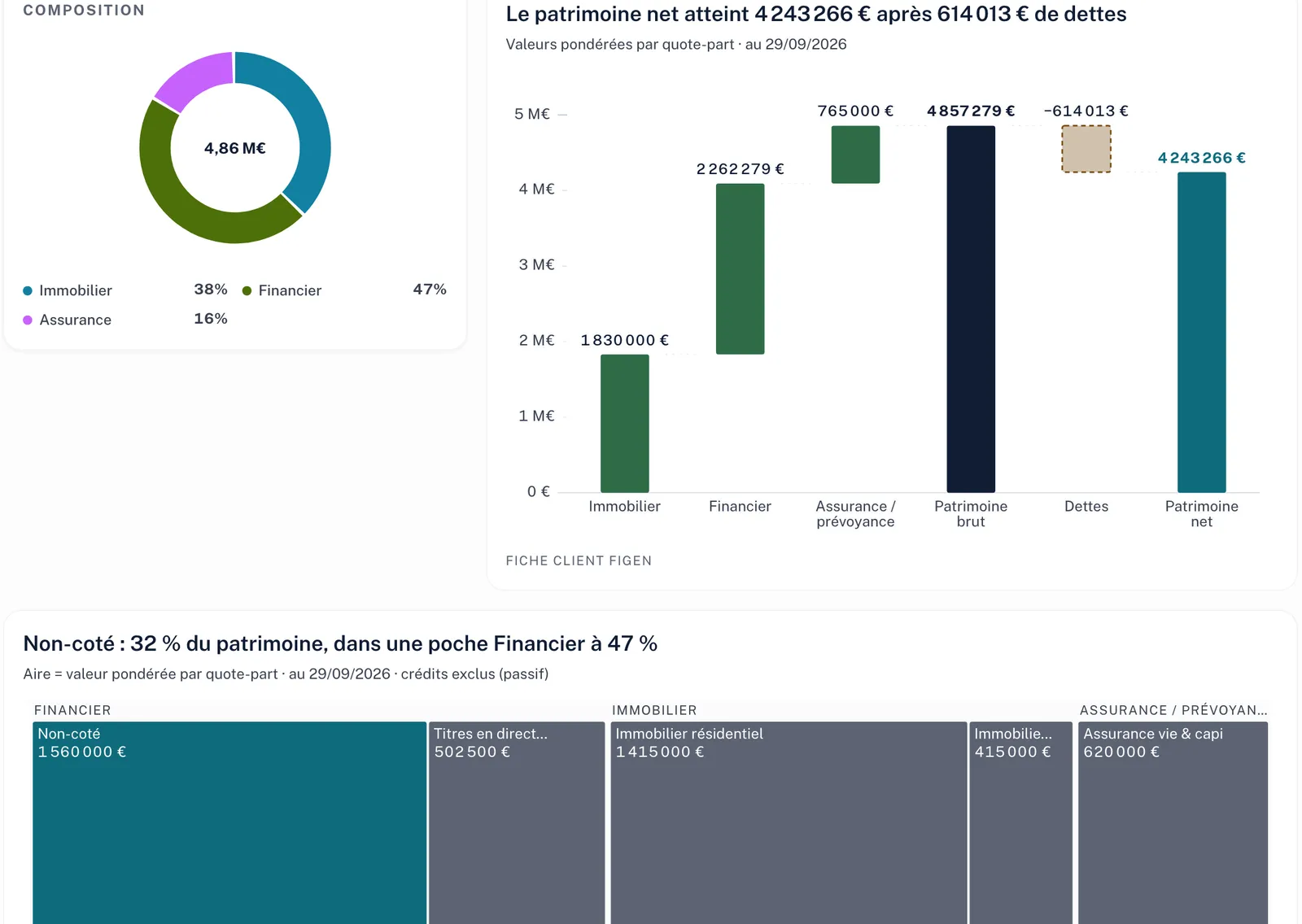
More than 1,500 contracts and their funds, with Morningstar data
The Allocations app runs on Morningstar data. It lists the underlying funds of more than 1,500 contracts, lets you build and track portfolios, and shows the correlation matrix of funds before you combine them.
 Morningstar data
More than 1,500 life insurance, capitalisation and PER contracts, with the list of their underlying funds
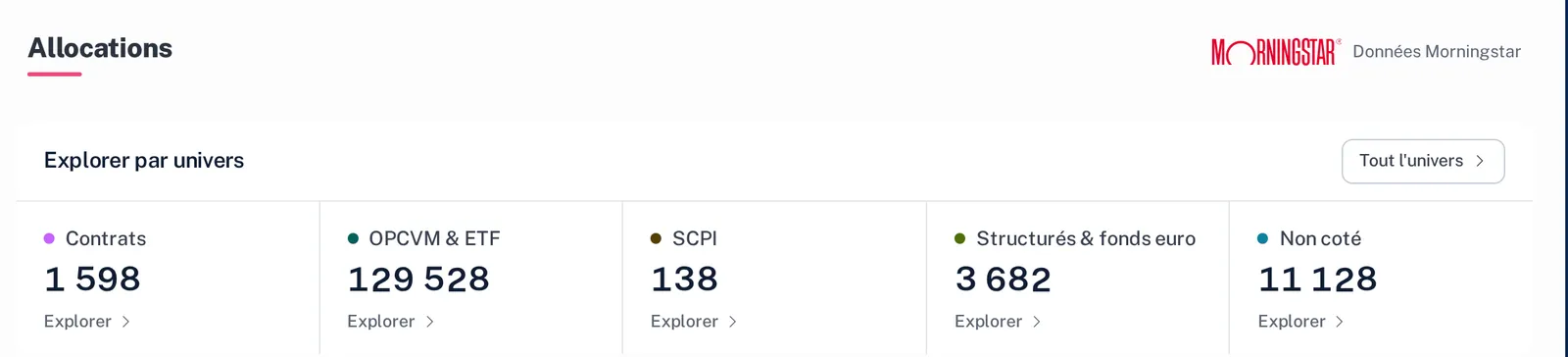
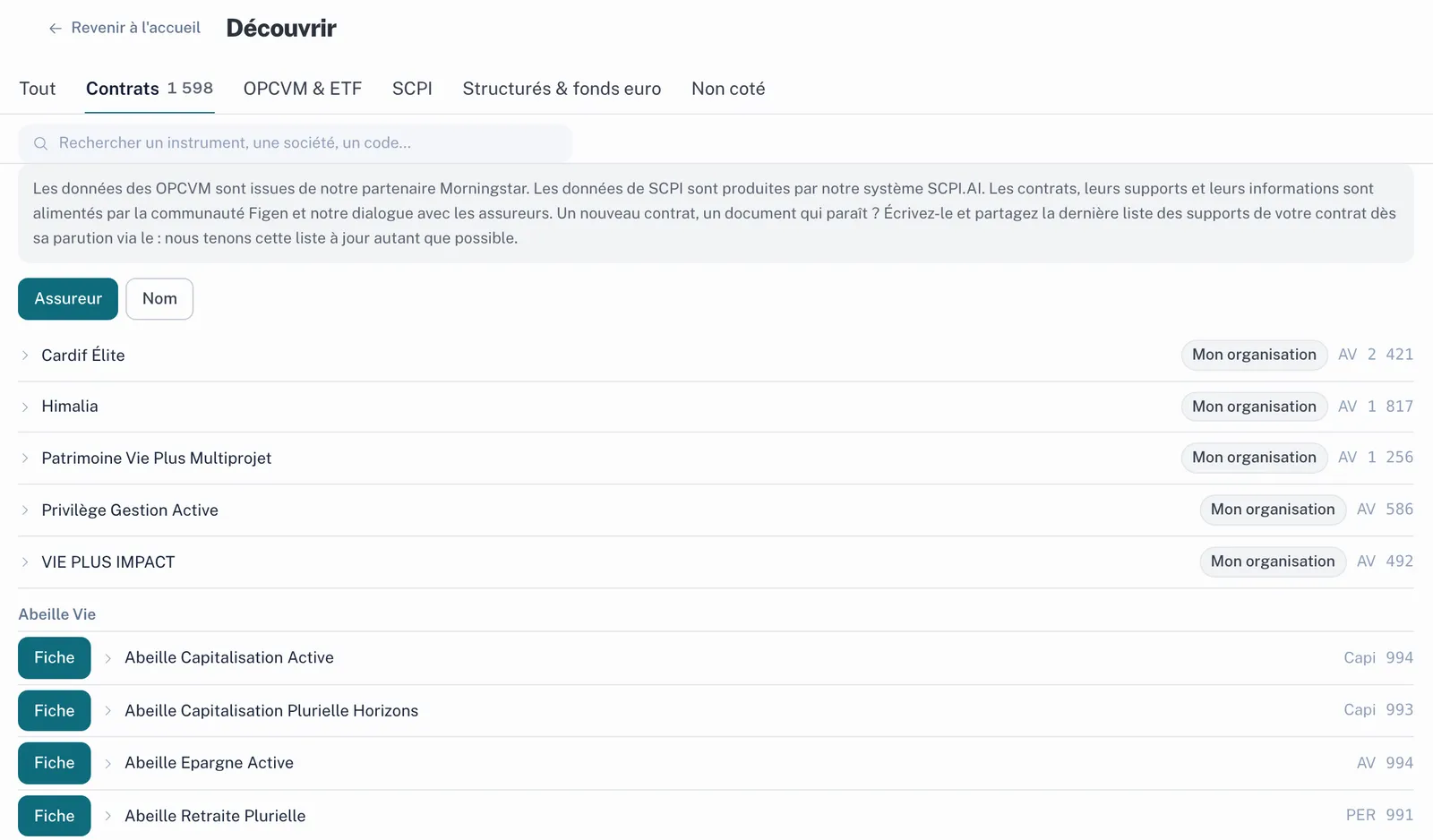
The funds of more than 1,500 contracts
Contract by contract, the list of underlying funds: you see at once what a contract can hold.
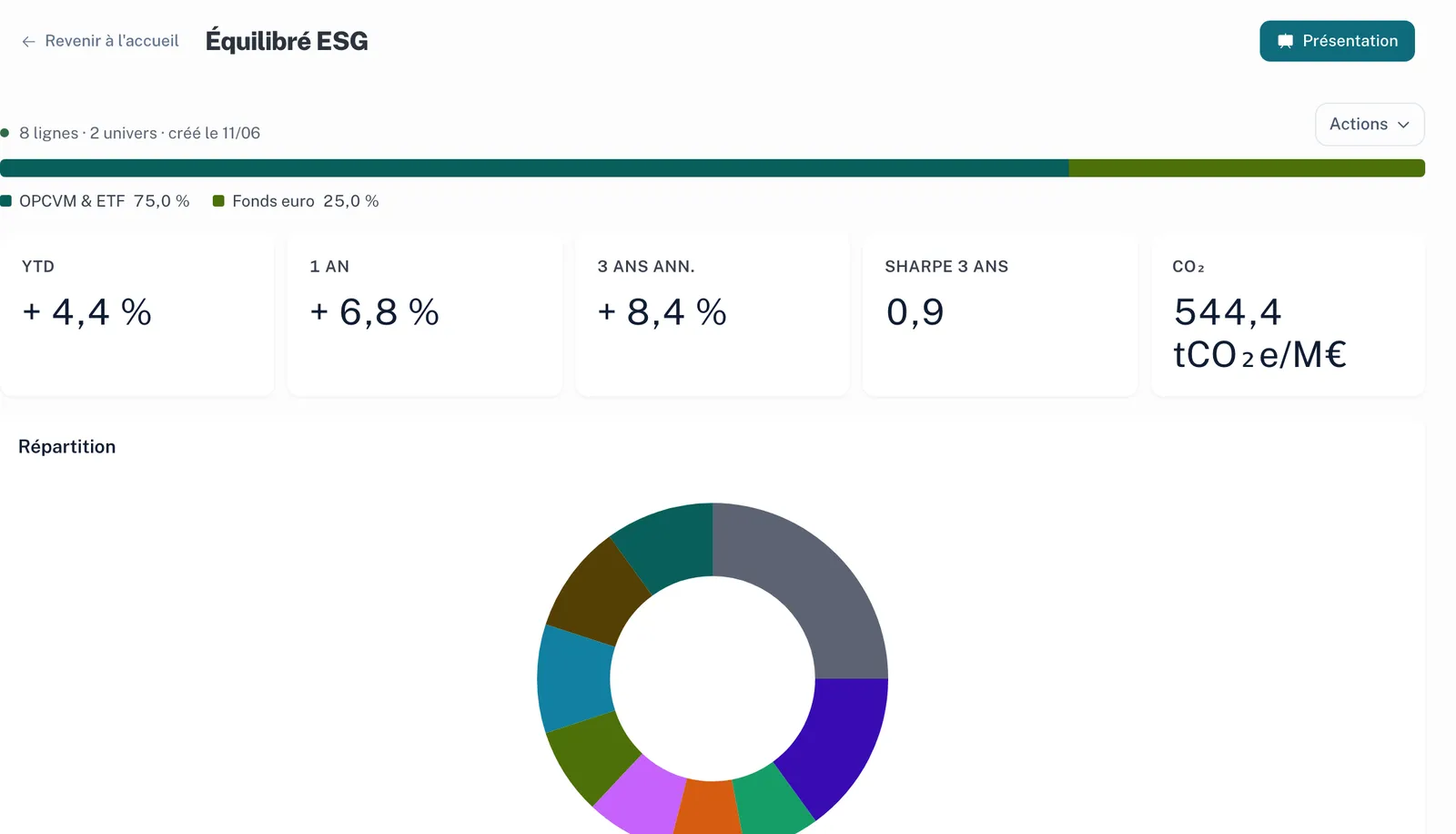
A tracked portfolio
Breakdown, performance, Sharpe ratio and carbon footprint of a model portfolio.
The Allocations app, with Morningstar data
CloseEach fund has its own sheet, built from Morningstar data: performance, fees, key information document, ESG criteria.
The underlying funds of more than 1,500 contracts are listed, so you see at once what a contract can hold.
You build portfolios and track them over time, with their breakdown, performance and carbon footprint.
The correlation matrix of mutual funds and ETFs shows what moves together before you combine it.
The firm’s model allocations then apply to a suitability statement.
The simplest way is still to try it on your own clients: 14 days, free.
Open my account: 14-day free trialFigen AI Connect
Your client has a space of their own, on their phone
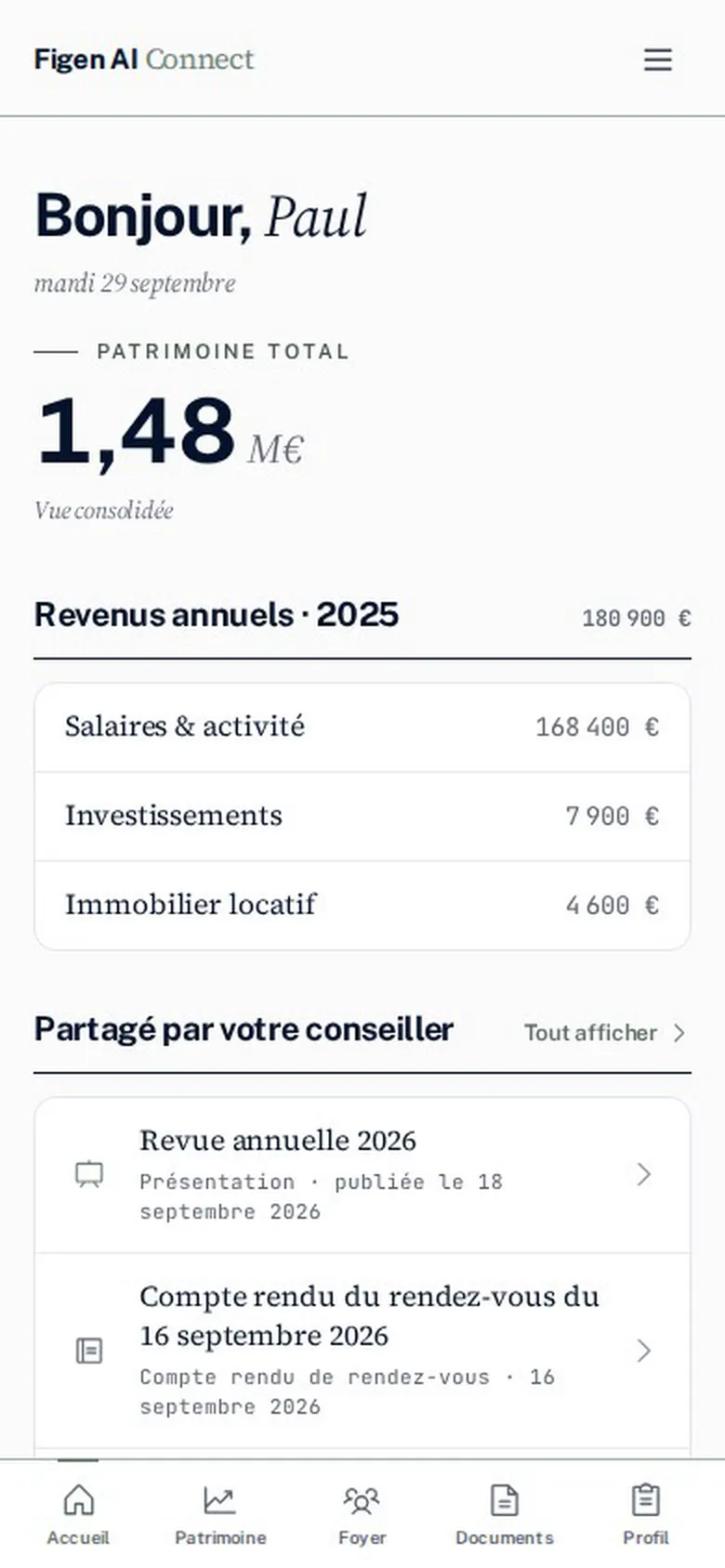
Figen AI Connect is your clients’ portal. Paul Fontaine finds his assets and his household there, the documents you share with him, the minutes of his meetings and the presentations prepared for him. He can also connect his banks and insurers.
The portal carries your firm’s address and colours.
Figen AI Connect, your clients’ portal
CloseYou invite the client from their record. They open their space on their phone, with nothing to install.
They find their assets and household, the documents you share from the document library, the minutes of their meetings and the presentations meant for them.
They manage their GDPR consents and their profile, and a button lets them report a problem.
They can connect their banks and insurers themselves. They pick their institution from the list, and access stays read-only, revocable whenever they wish.
Available integrations
Your mailbox and your calendar, if you wish
Gmail and Google Calendar, Outlook and the Microsoft calendar connect to Figen OS. Your emails are then filed on the right client record, and your meetings go into the calendar. Nothing requires it: without a connection, you stay in the Figen environment.
Illustration

 Optional
Your emails, on the client record
Emails from the connected mailbox are filtered by client. On Paul Fontaine’s record, you find his.
Paul Fontaine Emails
- Paul Fontaine Documents for our meeting8:12
- You Himalia suitability statement to signYesterday
- Paul Fontaine Question about selling the companyMonday
Illustration
 Optional
Your meetings, in the calendar
Your meetings arrive in the Figen OS calendar, next to the client record.
Today
- 9:30Paul Fontaine Annual review
- 11:00Marchal household First meeting
- 2:30Hélène Roux Investor profile to renew
Claude and ChatGPT, if you already use them
Claude and ChatGPT read your Figen clients and documents through the Figen connector, and any write action waits for your approval. Every morning, a scheduled task can prepare the day’s meetings.
Illustration
 Claude
Scheduled task, every morning at 7:30
Preparing today’s meetings
Figen OS Calendar, client records, compliance, signatures
- 9:30Paul Fontaine Annual review. The Himalia suitability statement is waiting for signature.
- 11:00Marchal household First meeting. Client agreement and engagement letter to prepare.
- 2:30Hélène Roux Investor profile to renew before the planned switch.
No change without your approval
Illustration

Scheduled task, every morning at 7:30
Preparing today’s meetings
Figen OS Calendar, client records, compliance, signatures
- 9:30Paul Fontaine Annual review. The Himalia suitability statement is waiting for signature.
- 11:00Marchal household First meeting. Client agreement and engagement letter to prepare.
- 2:30Hélène Roux Investor profile to renew before the planned switch.
No change without your approval
Also available
 Youtrust


 MyGestionPrivée
The available integrations
CloseConnecting a tool is your choice. You connect what you want, when you want; without a connection, you work in the Figen environment.
Gmail and Google Calendar, Outlook and the Microsoft calendar connect to Figen OS. Emails from the connected mailbox are filtered by client, on their record, and meetings go into the calendar.
You are the one who connects Claude or ChatGPT to your Figen OS space, through the Figen connector. Your assistant then reads your Figen clients and documents. A write action, such as changing a record, waits for your approval.
The two illustrations show a scheduled task: every morning, the assistant prepares the day’s meetings from the calendar, client records, compliance alerts and documents waiting for signature.
Youtrust for e-signature, Morningstar for funds, Pappers for companies, and the partner tools Wizio, albR and MyGestionPrivée are also among the available integrations.
Video
Figen OS on video
The Figen OS presentation, then the short format, on Figen AI’s YouTube channel.
Each video loads from YouTube when you start it.
Security
Where your clients’ data goes
It is hosted in Europe, in France, and is never used to train a model.
- Anonymisation and safeguards on the processing of sensitive data.
- Audit trail on regulatory acts and sharing.
- GDPR request register kept in the tool, consents collected on the client side.
- Data returned or deleted at the end of the subscription.
Security and confidentiality
CloseData is hosted in Europe, in France. It is never used to train a model.
Sensitive data is anonymised, and safeguards govern its processing.
Regulatory acts and sharing leave an audit trail. The GDPR request register, for access and erasure, is kept in the tool, and clients manage their consents from their portal.
At the end of the subscription, the data is returned to you or deleted.
Frequently asked questions
Your questions before opening an account
How does the 14-day trial work?
You open your account online and use Figen OS for 14 days, free of charge, with your own clients.
Do I have to give up my current software?
No. Figen OS replaces a practice management tool or works alongside it, as the firm chooses. With Wizio, albR or MyGestionPrivée, a client record sent from your tool opens in Figen OS.
Do Claude and ChatGPT have access to my clients?
Only if you connect them to Figen OS. Your assistant then reads your Figen clients and documents, and write actions, such as changing a record, wait for your approval.
Where is the data hosted?
In Europe, in France. It is never used to train a model, and it is returned to you or deleted at the end of the subscription.
Get started
Open your Figen OS account
The trial lasts 14 days, it is free, and you run it with your own clients. If you would rather go through your cases with us before deciding, book a 30-minute demo.